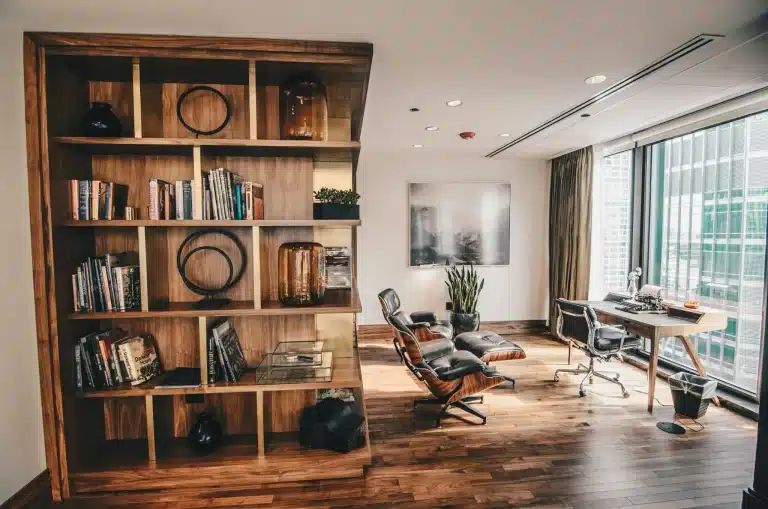
You can refresh your workspace effortlessly by upgrading computing power sustainably, personalizing the desk surface with a mat, and organizing cables and lighting to instantly improve daily productivity and comfort.
A better work-from-home setup does not require a weekend project, a contractor, or a massive budget. Implementing these targeted desk setup ideas deliberately will completely change how your environment feels during long work sessions.
1. Boost Performance the Sustainable Way
Before starting, you open a browser tab, check your task manager, and the system is still loading. Every virtual meeting starts with an apology while your machine catches up with the rest of the room.
Afterward, the exact same tasks take two seconds, achieved at a fraction of the cost of buying new.
Upgrading your computing power does not mean spending premium retail prices on a machine you will rarely push to its maximum capacity. The smarter move for a sustainable home office is choosing refurbished tech.
In 2018, the United States generated an estimated 2.7 million tons of consumer electronics goods, of which about 1.04 million tons of selected consumer electronics were collected for recycling, yielding a 38.5 percent recycling rate, with the rest of this electronics stream managed primarily through combustion with energy recovery and landfilling.
Opting for certified pre-owned hardware directly reduces this e-waste while providing enterprise-grade performance without requiring any change in daily habits.
When sourcing reliable equipment, prioritizing PCLiquidations’ certified refurbished desktops ensures quality through rigorous testing. Quality providers typically offer standard warranties and predictable, fixed pricing.
This guarantees that your upgraded machine delivers consistent professional performance without the sticker shock of a brand-new purchase. Recycling one million laptops saves the energy equivalent to the electricity used by more than 3,500 U.S. homes in a year.
|
Key Insight: Choosing certified refurbished tech isn’t just a budget-friendly move; it’s a critical step in reducing annual e-waste while maintaining uncompromising enterprise-level computing performance. |
2. Dress Up Your Desk Surface
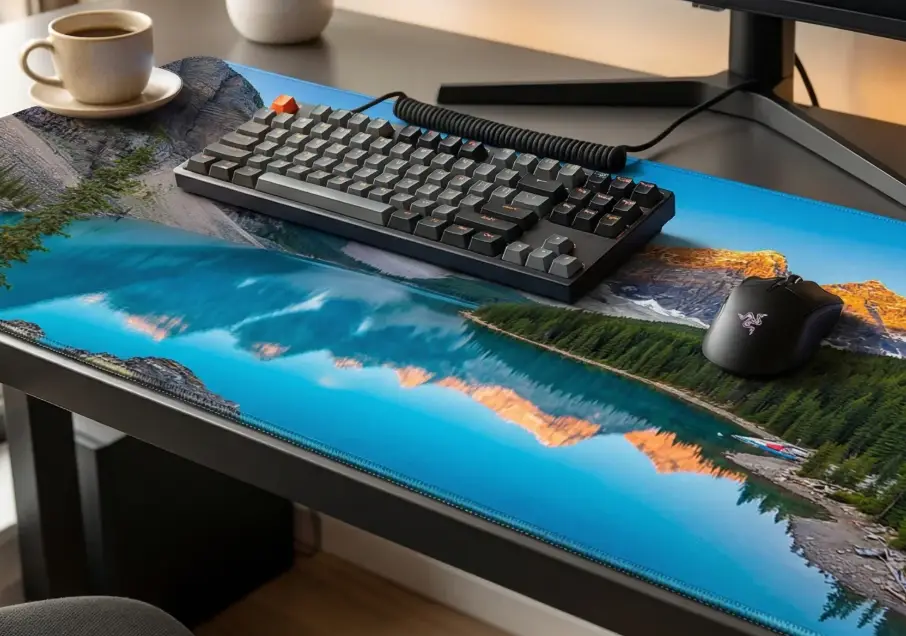
It sounds like a minor detail, but a quality desk mat does more work than people expect. It protects your surface from scratches, heat rings, and the slow damage of daily use.
It cushions your wrists and forearms during long typing sessions, and most importantly, it defines a visual focus zone that mentally signals where work happens.
Before adding a mat, you might have a bare desk surface with a coffee ring in the corner and a sliding mouse.
It often creates a general feeling that the space was assembled rather than designed. Afterward, a padded, custom-printed mat anchors everything, making the space look intentional and inviting.
Personalizing this area eliminates the generic corporate feel of a remote work station. When defining this space, utilizing local artisans or a custom-themed desk mat from Custom Envy allows you to integrate a meaningful photo or specific color palette.
Premium materials printed domestically ensure vibrant, lasting results instead of edges that peel within months. This pairs naturally with the broader goal of building a conscious, intentional workspace.
|
Pro Tip: Beyond physical protection, a premium desk mat creates a psychological boundary. It visually defines your focus zone, mentally signaling exactly where deep work happens during your day. |
3. Calm the Chaos in 15 Minutes
No purchases are required for this step. Just 15 minutes and a little focus can dramatically reduce visual clutter.
Cable Control Methods
Taming your cables requires a systematic approach to prevent future tangles.
- Pull every loose cable out from behind or underneath the desk.
- Group them by function, like power cables together, peripherals together, and audio together.
- Use Velcro cable ties or a zip-up cable sleeve to bundle each group tightly.
- Place a single USB charging hub in one desk corner to consolidate wall plugs.
- Clip an under-desk cable tray to route everything completely out of sight.
Lighting Tweaks to Make
Adjusting your illumination can drastically change how your eyes feel by the end of the day. At the office, the careful use of a spectrally optimized daytime light source at 4,000 K can meaningfully enhance the circadian‑relevant (biological) potency of the light, compared with a standard 4,000 K spectrum, as demonstrated in specialized lighting‑research studies.
Reposition your task lamp so it eliminates monitor glare rather than adding to it. If possible, rotate the desk to face natural light instead of sitting directly against a window.
Layout Mini-Reset
Apply the three-zone rule to decide what stays on the desk and what goes elsewhere.
- Focus zone includes your monitor, keyboard, and mouse, nothing else.
- The reference zone holds your notebook, phone, and a single pen.
- The storage zone keeps everything that does not fit the first two zones off the surface entirely.
Utilize vertical space with a small wall shelf or pegboard to keep frequently used items accessible without consuming valuable desk real estate. One small plant or a meaningful personal item is welcome in your setup. Anything beyond that is simply clutter in disguise.
|
Important: Avoid letting your storage zone creep into your focus area. Keeping your immediate workspace limited strictly to your monitor, keyboard, and mouse drastically reduces mental fatigue and daily distractions. |
How a Refreshed Desk Actually Feels

Picture the initial state of a machine that huffs through basic tasks and tangled cables trailing across the floor.
You might see a bare surface marked with coffee rings, harsh overhead lighting casting glare across the screen, and a desk that has accumulated six months of miscellaneous items. It is a landing zone, not a dedicated workspace.
Now envision a reliable, upgraded computer running cleanly and quietly, with a personalized mat anchoring the surface. Tucked cables and soft daylight-temperature light falling across a clear desk create an entirely different mood.
This is a highly functional, comfortable version of what you already have, achieved in manageable stages without starting over.
Your Next Steps
You do not need to tackle all three areas at once since trying to overhaul everything simultaneously often leads to inaction.
Start with your biggest friction point to make immediate progress. If a slow machine drags down every task, look into certified pre-owned options to regain speed efficiently and affordably.
If the desk feels uninspiring, add a tailored surface mat to anchor the room and protect your wrists. If visual chaos is wearing you down, set a 15-minute timer and work through the cable, lighting, and layout steps.
Small upgrades compound over time, and one deliberate change makes the next one easier to see and execute.
A highly productive, sustainable workspace does not get built in a single afternoon. It gets built one thoughtful decision at a time based on your specific needs. Pick your starting point today and enjoy a better work environment.